Get through your email at the speed of thought.
Colibri is a Mac email client that puts work, personal, and everything else in one fast inbox. Search finds any message in an instant, because your mail lives on your Mac.
Free while in beta. Gmail beta for macOS on Apple Silicon.
- $14.99a month, or $149 a year, after a 30-day free trial — everything included
- 1list for every account, colour-coded by account
- 10 severy send waits before it leaves, so you can take it back
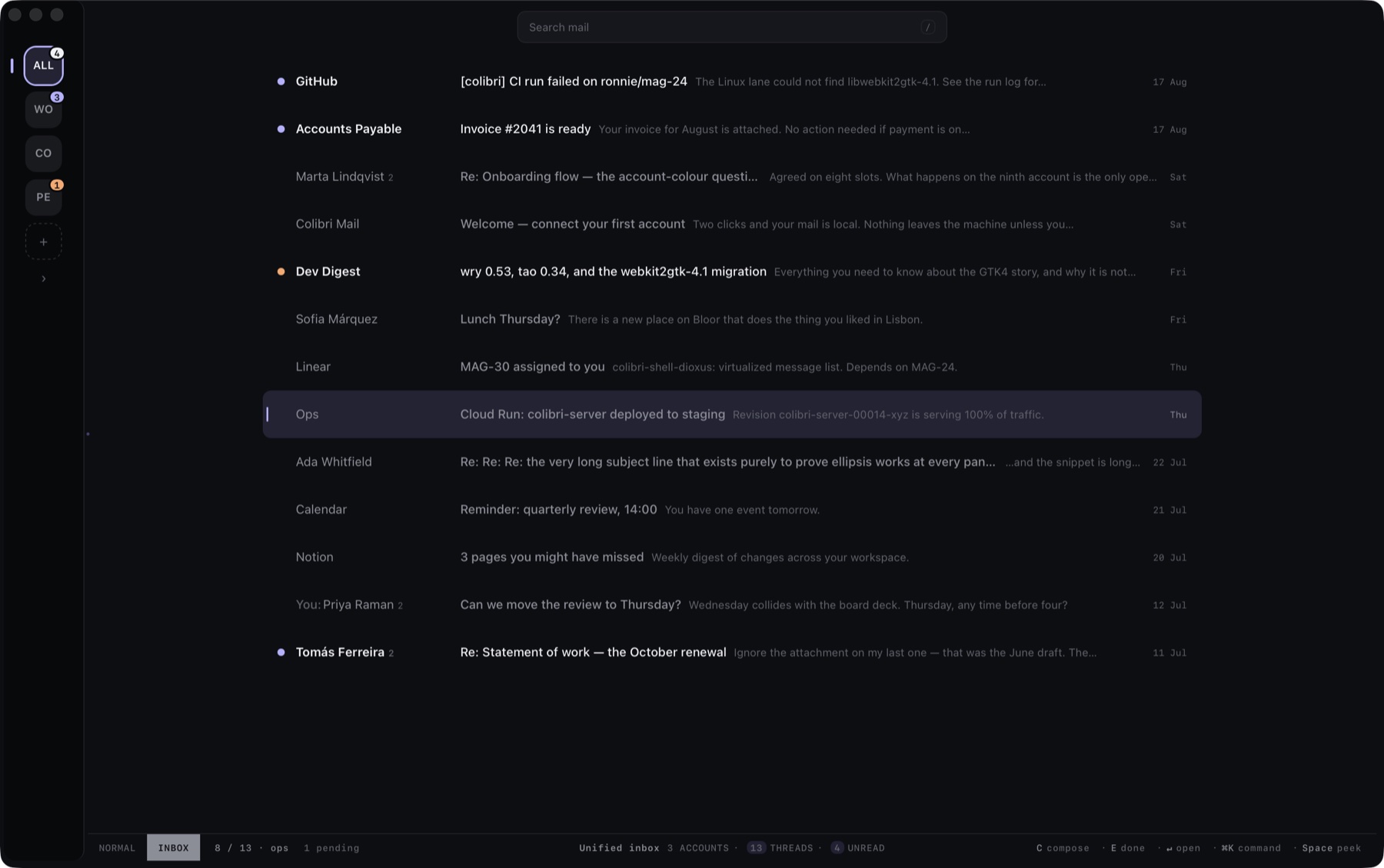
⌘KThis page runs on commands too.
Why switch
You already have email. Here's what changes.
Three rows, the three things people actually switch over. Everything else a mail client does, Colibri does — you'll find that out in ten minutes of using it.
| COLIBRI | SUPERHUMAN | GMAIL IN A TAB | |
|---|---|---|---|
| PriceThe whole product, assistant included, after a 30-day trial. | $14.99 / month | $30 / month | Free |
| Every account in one listOne merged list — the rail is the legend, the dot is the account. | Yes | No | No |
| Where your archive livesWhich decides how fast search can ever be. | Your Mac | Their servers | Google's servers |
Compared August 2026 against published pricing.
Speed
Find anything before you finish typing.
Your whole mail history lives on your Mac, so search answers instantly and nothing waits on a connection. Planes, trains, dead hotel wifi — everything still works.
- /
Search that just finds it
Type a few letters and the message appears — from years ago, from any account. Filters become chips — from:, has:attachment — and an over-narrow search tells you, so you can widen it.
- ␣
Peek without leaving the list
Space opens the message in a card over the list; Escape backs out one level. You never lose your place, so triage never turns into navigation.
- ⌘Z
Ten seconds to unsend
Every send waits ten seconds before it leaves your Mac. Catch the typo, add the attachment, change your mind.
What's nextComing soon
It finds what's waiting on you.
Colibri asks one question of every thread: does this need a reply or a decision from you? The threshold is deliberately high — when Colibri isn't sure, the thread stays in the ordinary list, exactly where you'd have found it anyway. A miss costs you nothing.
Every reason is a fact pulled from the mail itself. If it isn't in the text, Colibri doesn't say it.
Knows what needs an answer
A morning brief with the emails waiting on you — and why. Everything else stays where it was.
Replies that sound like you
Pick a stance — yes, no, later — and get a draft in your own voice. Every draft waits for your send.
Ask your inbox anything
"What did the accountant say about Q3?" — answered with the actual emails, linked.
Same rules as your keyboard.
- It proposes, you decideSuggestions are suggestions. Nothing is filed, archived, or answered until you say so.
- One keystroke takes it backAnything it does, undo reverses — same as your own actions.
- Never sendsIt drafts, you send. There's no setting that changes this.
RUNS ON THE AI YOU ALREADY PAY FOR
Connect the subscription you already have and Colibri drives it, or bring your own API key or a local agent. Inference runs on your own account — Colibri never proxies or resells it.
- ChatGPTPLUS OR PRO
- ClaudePRO OR MAX
- Your own API keyANY VENDOR
- A local agentADVANCED
When it ships, the assistant is part of the one price: $14.99 a month, or $149 a year, everything included, after a 30-day free trial. It runs on the AI subscription you already pay for — ChatGPT or Claude — on your own API key, or on a local agent you run yourself.
For the keyboard people
Inbox zero has a keyboard shortcut.
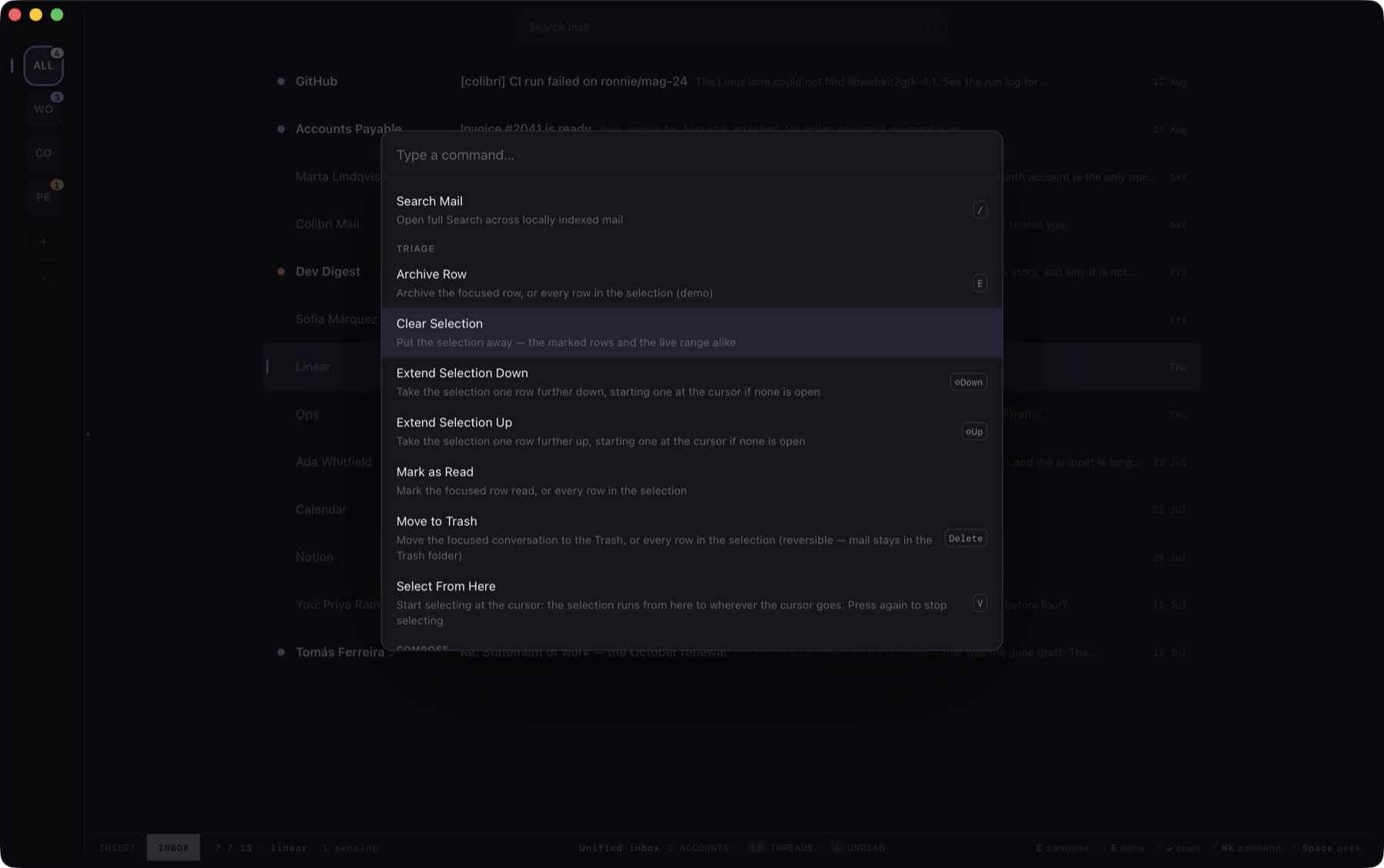
Everything in Colibri is a command: ⌘K finds it, a key fires it. Twelve of the hundred and eighteen — the whole vocabulary of your first week. If this section made you smile, the app was built for you too.
- ⌘K
Command palette
Grouped and deterministic: the same query always lands on the same row.
- /
Search
All your local mail, filters as chips, results while you type.
- ␣
Peek
A card over the list. Escape backs out one level.
- ⏎
Open
Full pane, in place of the list. Escape brings the list back.
- ↑ ↓
Move
⌃n and ⌃p move the cursor on every list; home-row motion is built in.
- e
Done
Archives and advances to the next thread.
- r
Reply
On the focused message, from list or peek.
- c
Compose
A card docked to the window. ⌘⏎ sends.
- d d
Trash
Two keys and a confirmation — deletion is never one slip away.
- ⌘Z
Undo send
Inside the window, the message hasn't left your Mac. Undo deletes it.
- ⌃1–⌃9
Jump
Straight to an account on the rail — the first tile is all of them.
- ⎋
Back out
Always one level. It can never quit the app.
Pricing
One price. Everything included.
Colibri is one product: the client and the assistant together, for one price. Thirty days free to start, with everything on — no card, no tiers, nothing held back.
Colibri
BETA$14.99per month, or $149 a year
The mail client and the assistant, on the AI you already have.
- Every account in one list, your whole archive on your Mac
- The entire keyboard: palette, peek, home-row motion
- Surfaces what's waiting on you, with the reason on every row
- A morning brief, and ask your inbox in plain language
- Drafts in your stance and your voice — you always send
- Runs on your ChatGPT or Claude, your own API key, or a local agent
- Your own agent can drive Colibri too
30 days free from install, everything on, no card. $149 a year is two months free. Inference runs on your own account — Colibri never proxies or resells it.
Nothing is charged during beta.
Your mail stays yours.
- Tracking pixels stay blocked — nobody learns when you read.
- Your archive lives on your Mac. We don't keep a copy.
- Messages can't run code. Ever.
Limited beta
Join the Colibri beta.
Enter the email address for the Google Account you'll use with Colibri. We'll email you when your account is ready.